
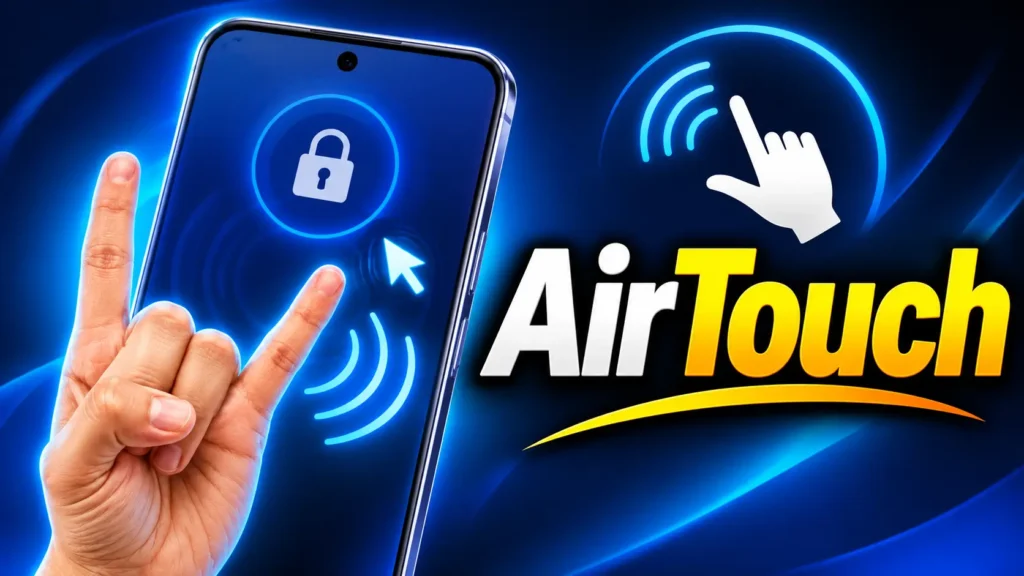
Have you ever imagined controlling your smartphone without even touching it? That means no need to tap the screen or repeatedly pick up your phone. Just move your hand in the air, and your phone will start responding to your gestures! It may sound like something straight out of a sci-fi movie, but now you can experience it with the help of the AirTouch: Gesture Control App.
This app uses your phone’s front camera to recognize your hand movements and perform different actions accordingly. If you also want to control your smartphone without touching the screen, let’s find out what the AirTouch app is, how it works, and how to use it.
What Is AirTouch: Gesture Control App?
AirTouch is an Android app that allows you to control your smartphone using hand gestures. Normally, we have to touch the screen repeatedly to operate our phones, but this app makes things a little different.
In fact, the app uses your phone’s front camera to recognize the movements of your hands and fingers. It then converts your gestures into on-screen actions. For example, you can move your index finger in the air to control the cursor on your screen and make a pinch gesture to click on something.
The best part is that you don’t have to rely on just one type of gesture. You can customize different hand gestures to perform different actions according to your needs. This makes using your phone a completely different and fun experience.
How Does the AirTouch App Work?
Now, you might be wondering how your phone understands your hand gestures without being touched. To make this possible, the AirTouch app uses camera-based gesture-tracking technology.
When you give the app camera permission, it tries to recognize the position of your hands and the movements of your fingers. For example, if you move your index finger up, down, left, or right, the cursor on your screen also moves in the same direction.
Similarly, when you bring your thumb and finger close together to make a pinch gesture, it can work like a click or tap. You can also use gestures such as showing your palm, making different finger signs, and moving your hands according to your preferences.
However, how accurately it works also depends on your phone’s camera, lighting conditions, and hand positioning.
What Are the Benefits of Using the AirTouch App?
The AirTouch app offers several benefits, especially when you want to perform certain tasks without repeatedly touching your phone’s screen.
- Control Your Phone Without Touching the Screen: You can move the cursor, click, and perform other available actions using hand gestures.
- Useful While Cooking: If your hands are dirty or wet while cooking in the kitchen, you can try controlling your phone without touching the screen.
- Easier Video Control: You can use available gesture actions to make controlling videos on apps like YouTube and Netflix easier.
- Helpful for Presentations: If you keep your phone at some distance while giving a presentation, you can control it using hand gestures.
- Customize Your Favorite Gestures: You can customize different gestures, such as Peace Sign, Palm, and Rock On, according to your needs.
- Privacy Considerations: According to the app’s information, the data captured through the camera is processed directly on your phone and is not sent to a server.
How to Use the AirTouch Gesture Control App?
Using this app is not very difficult. First, open the Google Play Store on your Android phone, search for AirTouch: Gesture Control, and install it.
Once installed, open the app and follow the steps below.
- The app will ask for some necessary permissions, such as Camera Access, Display Over Other Apps, and Accessibility Service. Allow these permissions so the app can recognize your hand gestures and perform actions accordingly.
- After granting all the required permissions, complete the tutorial and setup provided in the app. Here, you can try different hand gestures to check whether the app is recognizing them correctly.
- Now, you can move your index finger in the air to control the cursor on your screen. Wherever you want to click, simply bring your thumb and finger close together to make a pinch gesture.
- You can customize different gestures available in the app according to your preferences. For example, you can show your palm, make a Peace Sign, or use the Rock On gesture. These gestures can be assigned to different actions.
Once the setup is complete, you can experience controlling your phone without touching the screen.
Download the official App from Google Play Store
AirTouch App Offers Several Interesting Gestures
One of the best features of this app is its customization option. This means you don’t have to rely only on predefined gestures. You can use different gestures for different actions according to your preferences.
For example, you can assign gestures such as showing your palm, making a Peace Sign, or using the Rock On gesture to perform different actions. Apart from that, actions such as moving the cursor, clicking, scrolling, and using Home and Back functions may also be available.
According to the app’s information, it offers the ability to customize more than 25 actions. Not only that, you can also set gestures according to your needs for different apps, such as YouTube, Netflix, and web browsers.
Should You Use the AirTouch App?
If you want to try something new and different on your smartphone, you should give the AirTouch Gesture Control App a try. With its help, moving the cursor, clicking, and performing other actions using hand gestures without touching the screen can be quite an interesting experience.
However, it is important to remember that gesture control may not always be as easy or accurate as regular touch controls. You may also need some practice to get used to it. Additionally, keeping your camera active for a long time may affect your phone’s battery life.
Overall, AirTouch is an interesting app for people who want to use their phones in a new way. If you also want to experience controlling your phone without touching it, you can install the AirTouch app from the Google Play Store and explore its features.