
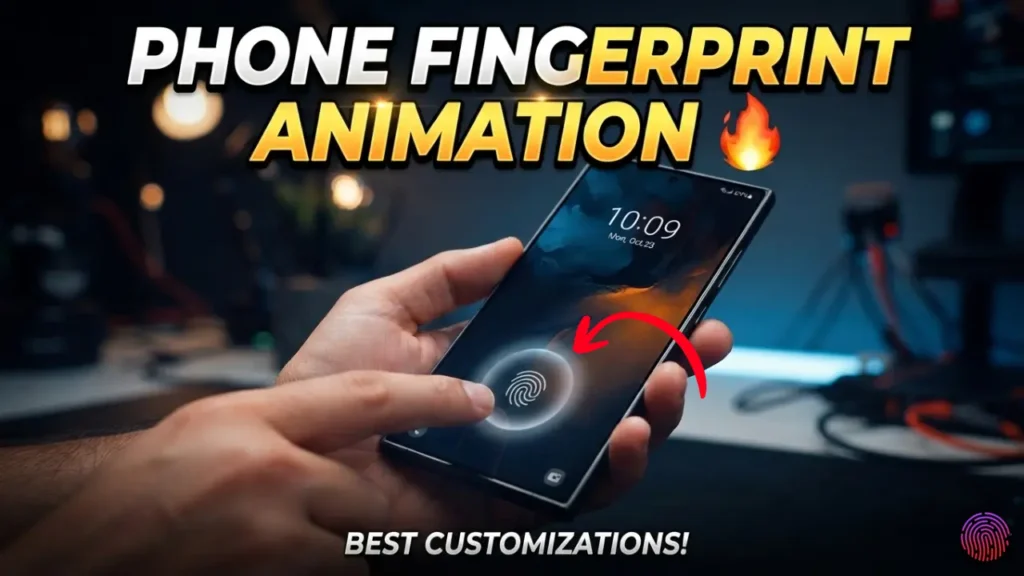
If you’ve recently watched Android customization videos on YouTube, Instagram, or Facebook, you’ve probably noticed a cool fingerprint animation appearing on the screen whenever someone touches it. The effect looks modern and premium, making many users wonder, Can I get the same fingerprint animation on my phone even though it doesn’t have a fingerprint sensor?
The good news is that you can create a similar visual effect. However, there is one important truth that many viral videos fail to mention. A fingerprint animation and a fingerprint sensor are two completely different things. Before installing any app, it’s worth understanding how this feature actually works.
In this guide, we’ll explain everything in simple language so you know what is possible, what isn’t, and how to safely customize your Android phone.
What Exactly Is a Fingerprint Animation?
A fingerprint animation is simply a graphic effect that appears on the display when a compatible phone detects your finger on its fingerprint scanner. It is designed to make the unlocking experience look more attractive rather than improve security.
Most smartphones with an in-display fingerprint scanner include several animation styles. Users can switch between different colors and effects according to their preferences. These animations are part of the phone’s software and work together with the fingerprint hardware.
Can Phones Without a Fingerprint Sensor Display This Effect?
Yes, but only as a visual effect. If your smartphone does not include a fingerprint sensor, no application can magically add fingerprint recognition because the necessary hardware is missing.
What third-party apps can do is display an animation whenever you touch a selected area of the screen. It may look similar to the fingerprint animation found on premium smartphones, but it does not scan your fingerprint or unlock your device.
Think of it as a screen decoration rather than a security feature.
Why Are Fingerprint Animation Apps So Popular?
Many Android users enjoy customizing their phones with wallpapers, icon packs, themes, and widgets. Fingerprint animation apps have become popular because they add another layer of personalization.
The animation gives the impression of a premium device without requiring expensive hardware. This is one reason these apps continue to attract millions of downloads from users who simply want their phone to look more stylish.
How Can You Install a Fingerprint Animation?
Installing one is usually very straightforward. Search for a trusted Fingerprint Animation app on the Google Play Store, install it, and complete the initial setup.
After opening the app, you’ll normally find multiple animation designs to choose from. Some apps allow you to change the animation color, adjust its size, or move its position on the screen.
Depending on your Android version, the app may also ask for Accessibility or Display permissions to show the animation correctly. Always read permission requests carefully before allowing access.
Does It Add Fingerprint Unlocking?
Absolutely not. This is the biggest misunderstanding created by short-form videos online. Installing a fingerprint animation app does not convert your phone into a fingerprint-enabled device.
Fingerprint authentication depends on a physical sensor built inside the smartphone. Without that hardware, no software can recognize your fingerprint.
Your phone will continue using the same unlock method, such as a PIN, password, or pattern.
Is It Safe to Install These Apps?
Safety depends on which application you choose.
Apps downloaded from the official Google Play Store are generally safer than APK files found on random websites. Even then, you should review the permissions requested before installing anything.
Keep these basic precautions in mind:
- Download apps only from trusted developers.
- Read recent user reviews before installing.
- Avoid apps requesting unnecessary permissions.
- Keep Google Play Protect enabled.
- Remove the app if it affects your phone’s performance.
A little caution can help protect both your privacy and your device.
Will the Animation Slow Down Your Phone?
In most cases, modern smartphones handle these animations without any noticeable slowdown.
However, older devices with limited RAM or entry-level processors may experience occasional lag, especially if multiple customization apps are running simultaneously.
If you notice slower performance, try disabling unnecessary background apps or uninstalling the animation app.
Does It Consume More Battery?
Every app running in the background uses some battery power. Fingerprint animation apps are no exception.
The actual battery usage depends on how the app works. If the animation appears only occasionally, battery consumption is usually minimal. If the app continuously displays effects on the lock screen or Always-On Display, power usage may be slightly higher.
Fortunately, most users won’t notice a significant difference during normal daily use.
Why Doesn’t It Work on Every Phone?
Android manufacturers use different software interfaces, display technologies, and security systems. Because of these differences, an app that works perfectly on one smartphone may not function properly on another.
Compatibility issues are normal and don’t necessarily mean there’s a problem with your phone.
Keeping both your Android system and installed apps updated often improves compatibility.
Common Myths You Should Ignore
Many videos online make unrealistic promises simply to attract views. Before believing such claims, remember these facts:
- A fingerprint animation is not the same as a fingerprint scanner.
- No app can create fingerprint hardware through software.
- Animation apps cannot improve your phone’s security.
- Viral tricks claiming “4G phone becomes 5G” or “phone gets fingerprint unlock instantly” are usually misleading.
Understanding these facts can save you time and prevent unnecessary downloads.
Is It Worth Installing a Fingerprint Animation App?
If you enjoy customizing your Android phone, the answer is yes. These apps can make your device look more attractive and give it a premium appearance.
However, if your expectation is to unlock your phone using a fingerprint without having a fingerprint sensor, you’ll likely be disappointed because that simply isn’t technically possible.
The best approach is to treat these apps as cosmetic enhancements rather than security tools.
Conclusion
Adding a fingerprint animation to a phone without a fingerprint sensor is possible, but only as a visual customization. It does not transform your phone into a fingerprint-enabled device or provide biometric security.
If you decide to try one, choose a trusted app from the Google Play Store, review its permissions carefully, and enjoy the extra visual style it brings to your smartphone. Knowing the difference between appearance and functionality will help you avoid misleading claims while making the most of Android’s customization options.